
Real-time ERPNext to WooCommerce sync
Update an item in ERPNext and OrderWeave propagates the change to your online stores within seconds — not hours or days. Orders flow the other way, back into ERPNext, so products, stock, pricing, and sales all stay aligned across every store, automatically.
One source of truth, both directions
ERPNext stays the system of record. OrderWeave keeps your storefronts current, and brings what happens on them back home.
Product information
Names, descriptions, SKUs, images, and full variation data — pushed to every connected store.
Stock quantities
Receipts, sales, adjustments, and transfers update online inventory, aggregated across all your warehouses.
Pricing
Regular prices, sale prices, and price-list changes flow through automatically — including bulk campaign updates.
Categories
Product categories (say, Chandeliers) carry across, so items stay grouped the same way in ERPNext and on the storefront.
Tags
Merchandising tags like “Clearance” or “New arrivals” sync too — so you can build dynamic collections that keep themselves up to date.
Online orders
Every order placed in your store flows back to ERPNext as a Sales Order, so invoicing, fulfillment, and accounting all run from one system.
Stock stays honest
Because sales land in ERPNext, stock decrements at the source and the corrected quantity syncs straight back out to every store — no overselling.
Customers
Buyers are matched to existing ERPNext customers or created, so your ERP — which is also your CRM — holds the full customer and order history, not just the storefront.
Selling the same product in three sizes and two colours? Every variation syncs as its own storefront item, linked back to the parent — pricing and stock tracked per variant. More on order sync →
Every change, on the record
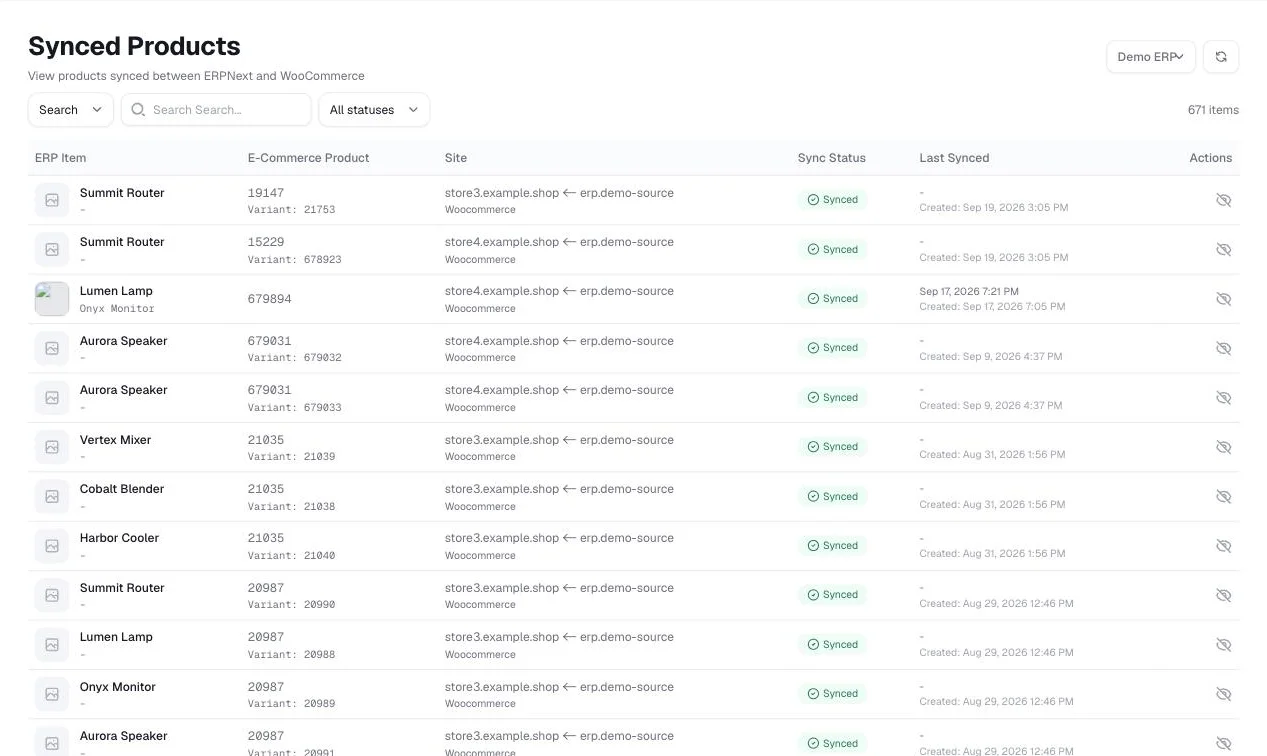
Synced products
See which products are live on each store, with per-store sync status.
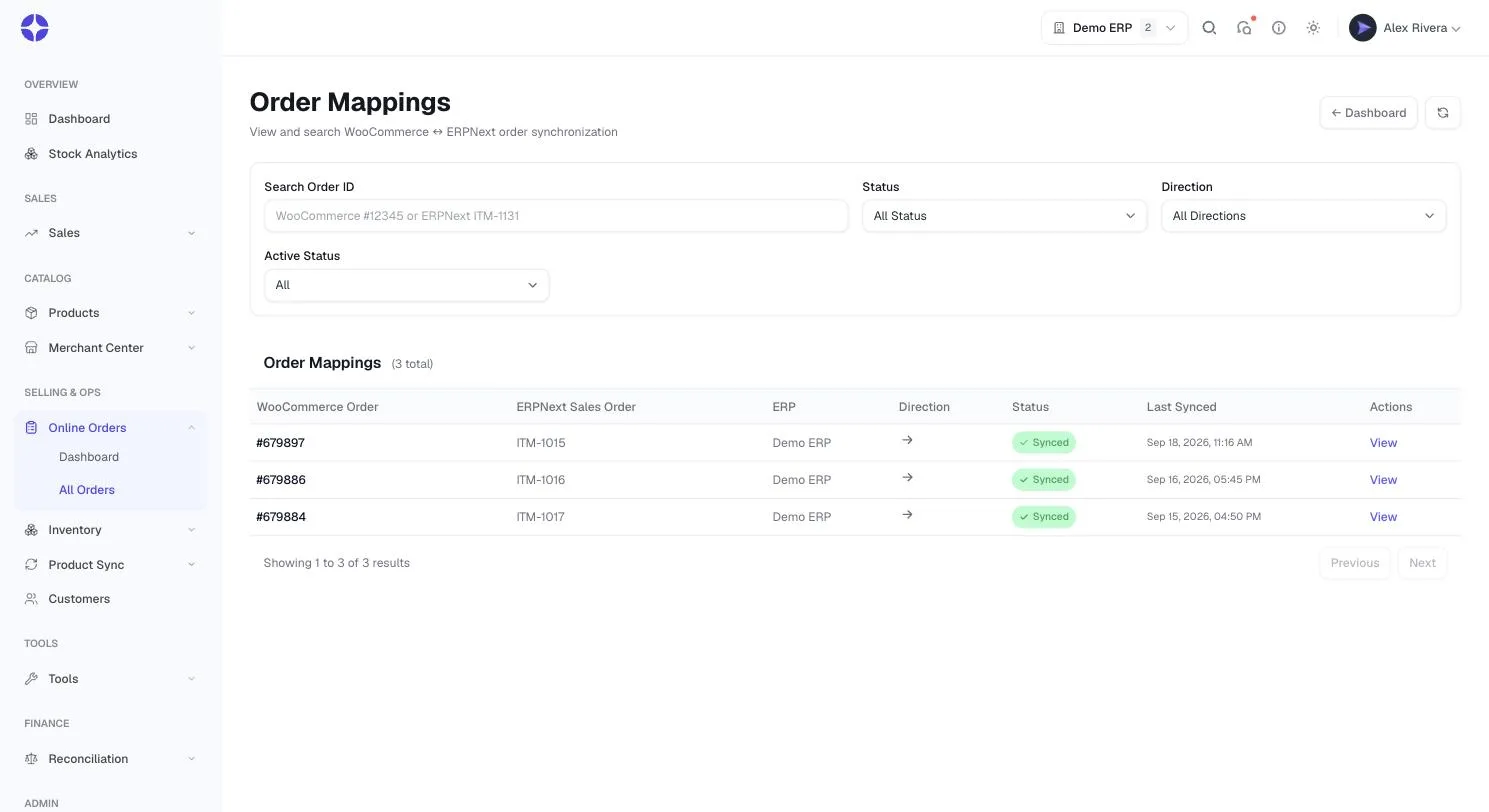
Order mappings
Every storefront order matched to its ERPNext sales order.
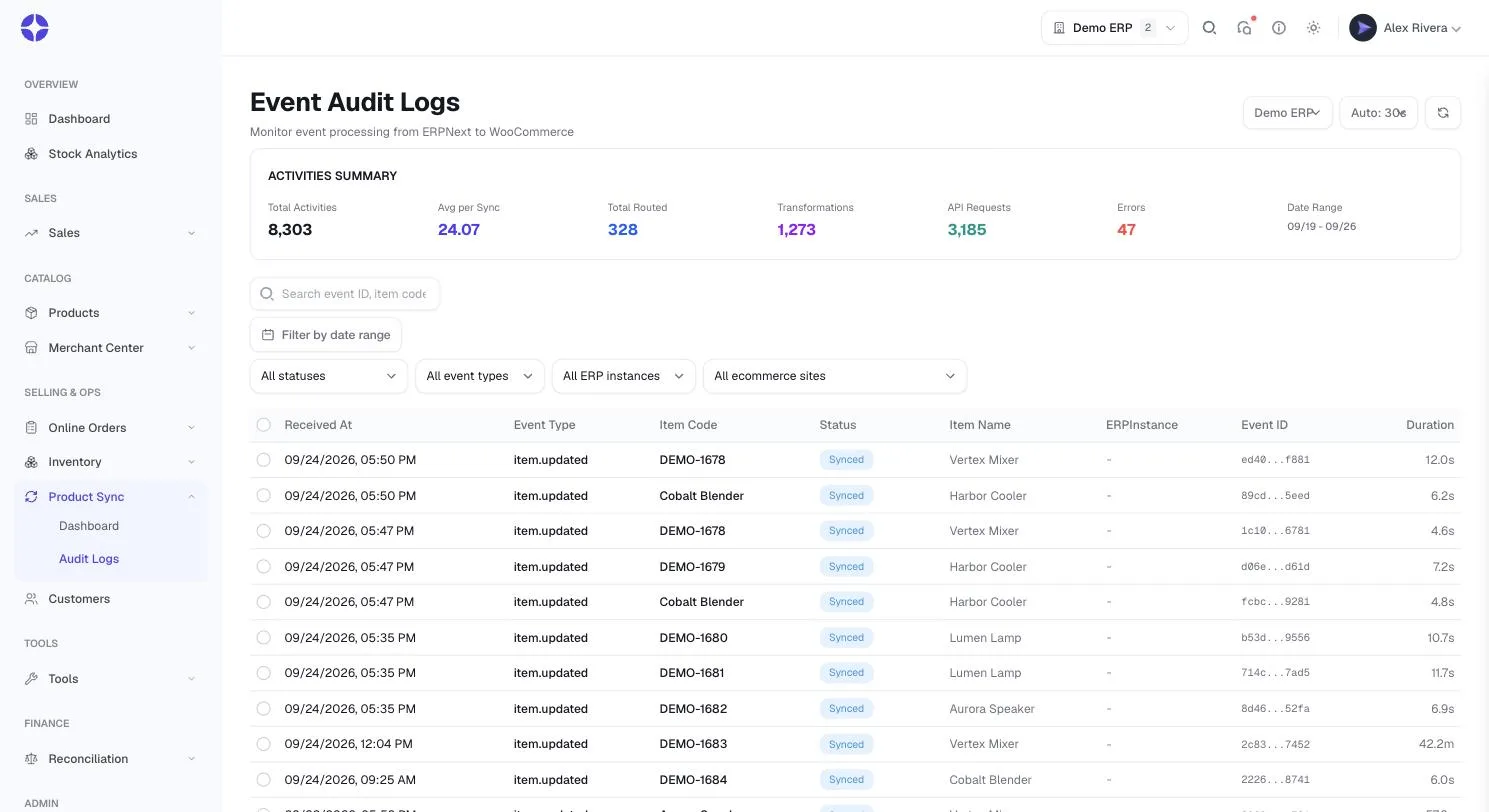
Full audit trail
Received, queued, routed, and published — per store, with timings and errors.
50% of syncs complete this fast after you hit save in ERPNext
9 in 10 syncs finish within this window, even at peak
Rock-solid uptime — every change retries automatically until it lands, nothing dropped
Frequently asked questions
What data does OrderWeave sync from ERPNext? +
Products (names, descriptions, SKUs, images, and variations), stock quantities across all warehouses, and prices — including regular prices, sale prices, and price lists.
Does OrderWeave sync orders back to ERPNext? +
Yes — sync is two-way. Products, stock, and prices flow from ERPNext to your stores, and every order placed in your store flows back to ERPNext as a Sales Order. Invoicing, fulfillment, accounting, and stock all run from ERPNext, so the two never drift apart.
How fast is the synchronization? +
Near real-time. Half of all syncs complete within 5 seconds of saving a change in ERPNext, and 9 in 10 complete within 20 seconds — even during peak load.
What happens if a sync fails? +
Temporary failures are retried automatically, backing off between attempts. Anything that still will not go through is set aside safely for review rather than dropped — so no change is ever silently lost.
Will it stop me overselling? +
Yes. Stock updates propagate whenever you receive, sell, adjust, or transfer inventory, so your storefront always reflects what you can actually ship.
Can I see what happened during a sync? +
Every event is recorded in a detailed audit trail — received, queued, routed, and published per store — with timestamps, processing durations, and full error details for troubleshooting.
How do I get started? +
Install the OrderWeave ERPNext app, add your WooCommerce API credentials, enable sync on the items you want, and changes begin flowing to your stores immediately.
Ready to automate your inventory?
Every plan includes a fully managed ERPNext instance, set up for you.